The complete tour
Every NomadTracks feature, explained
A precise GPS recorder, a personal map library and a privacy-first sync system — for iPhone, iPad, Mac and Apple Watch.
Recording
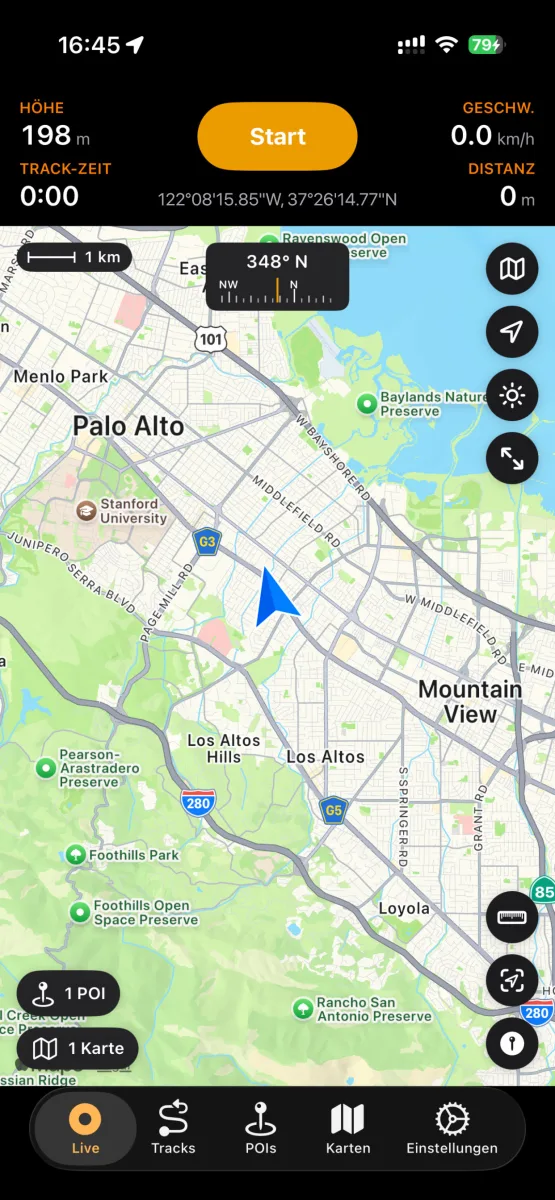
High-precision GPS recording
Start a recording and put the phone away — NomadTracks keeps a precise log of where you went and how high you climbed.
- GPS tracks with accurate elevation data
- Live stats on the Lock Screen and in the Dynamic Island
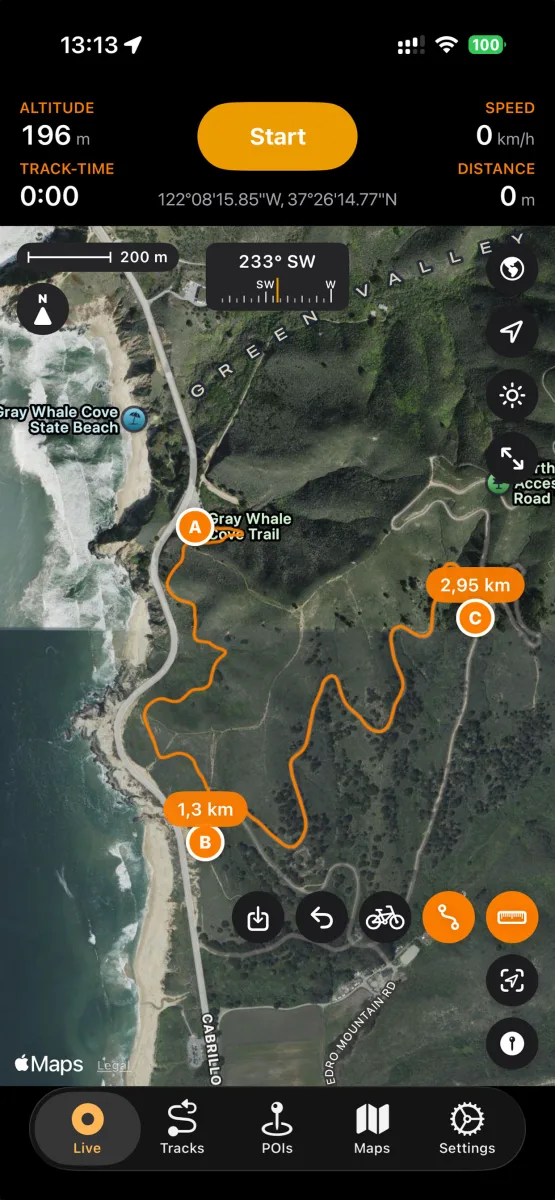
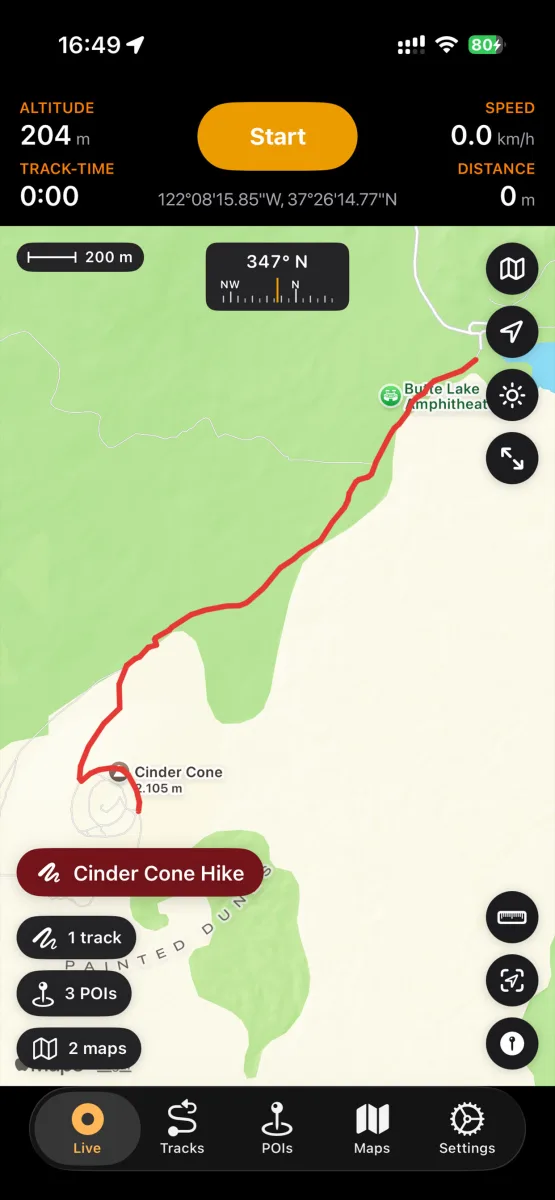
- Live map with scale bar, compass and coordinates
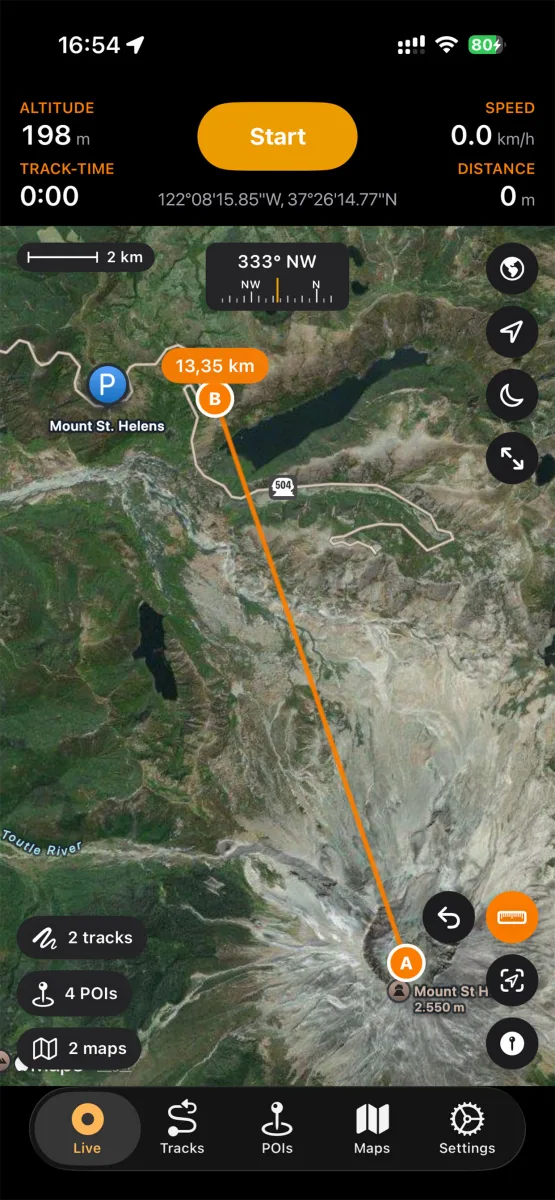
- Distance measurement directly on the map
- Built for 25+ activities — hiking, biking, paddling, skiing and more
- Metric, imperial and nautical units
Points of interest
Pin what matters out there
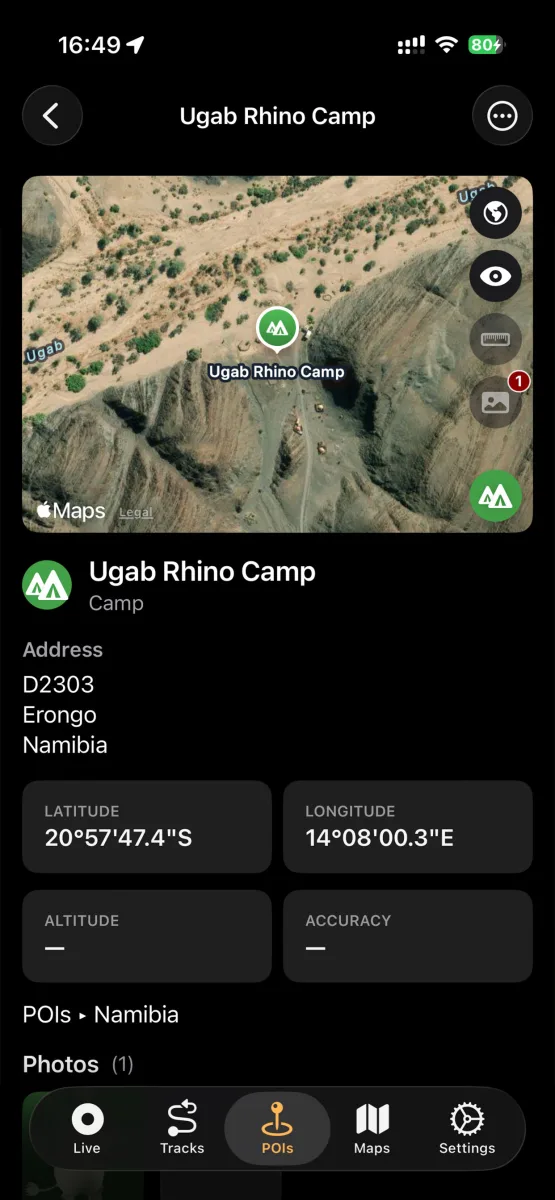
Campsites, water sources, trailheads, viewpoints — POIs in NomadTracks are little field records, not just dots.
- Categories, colors, photos, addresses and notes
- Add POIs manually with lon/lat or UTM coordinates
- Create a POI straight from a photo's geotag
- Organize POIs in folders, search and filter them
Custom maps
Your paper maps, alive on screen
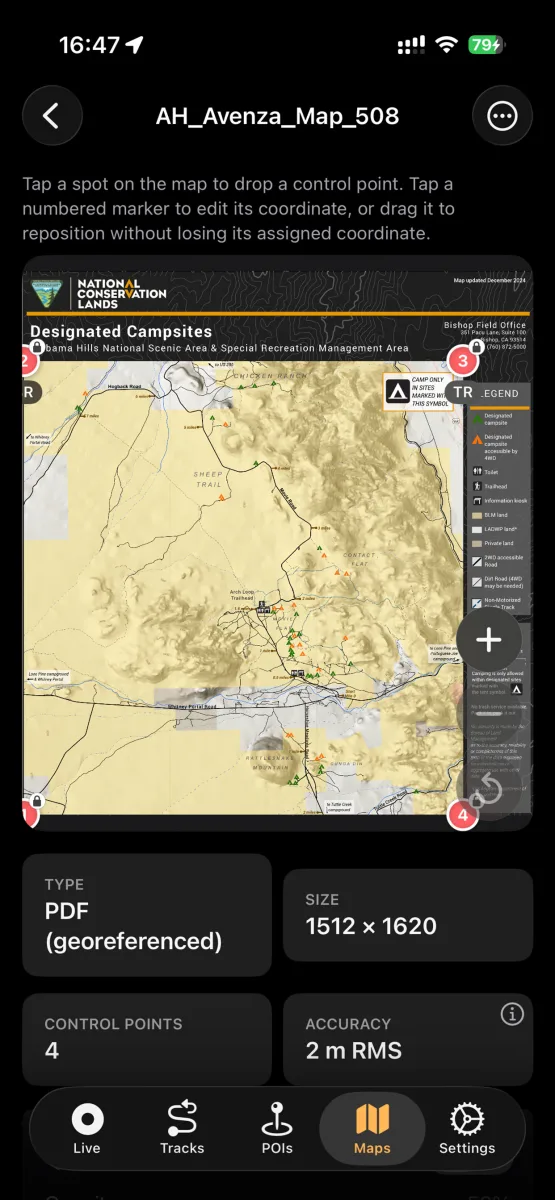
The feature that sets NomadTracks apart: turn any map you own into a live, position-aware overlay.
- Import georeferenced PDFs and TIFFs (e.g. Avenza-style maps)
- Photograph a paper or topographic map and georeference it in-app
- Set control points and see the alignment accuracy (RMS)
- Use the overlay fully offline with your live GPS position on it
- Custom MapLibre basemaps for self-hosters
Route planning — Pro
Plan it indoors, follow it outdoors
Tap waypoints and NomadTracks snaps the route to real roads and trails, with the numbers you need to judge the day.
- Routing along real roads and hiking trails
- Distance, duration and elevation for every route
- Save a planned route as a track and follow it later
- Plan on Apple Maps, Google Maps, OpenStreetMap or satellite
Library
Years of adventures, instantly findable
Tracks, POIs and custom maps live in a real library with folders, search, sorting and filters.
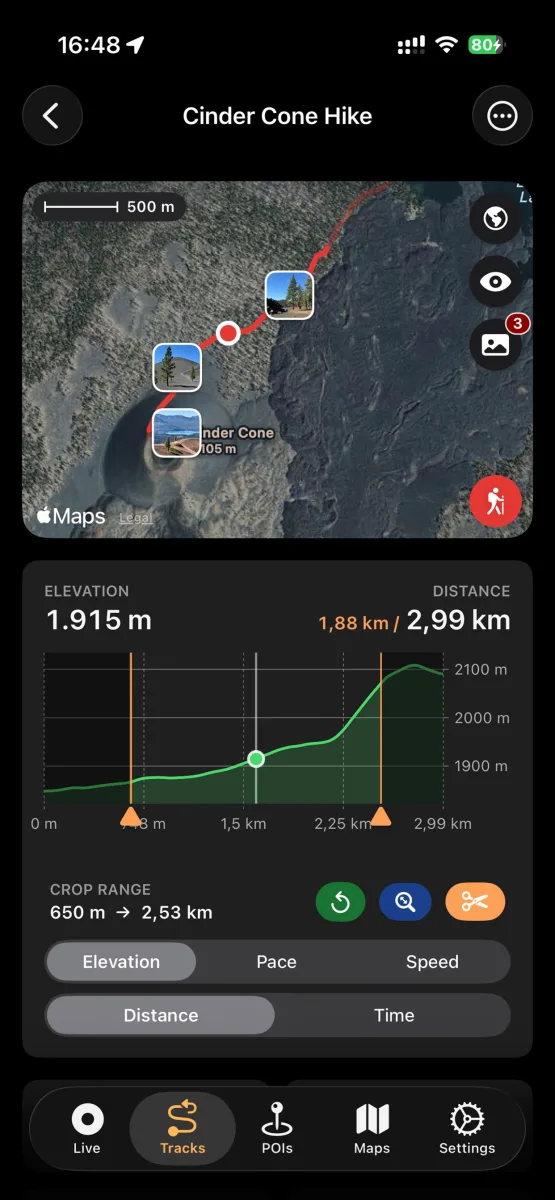
- Elevation, speed and pace charts for every track
- Edit, recolor, trim and crop tracks
- Attach photos that appear right on the map
- Recently Deleted with 30-day recovery
Import & export
Open formats, zero lock-in
Your tracks belong to you. NomadTracks speaks the formats every other GPS tool understands.
- Import tracks and POIs from GPX, GeoJSON or bundles
- Export as GPX, GeoJSON or bundles with photos and metadata
- Open any location in Apple Maps or Google Maps
- Share via AirDrop, Mail, Messages and iCloud Drive
Apple Watch
Leave the phone at camp
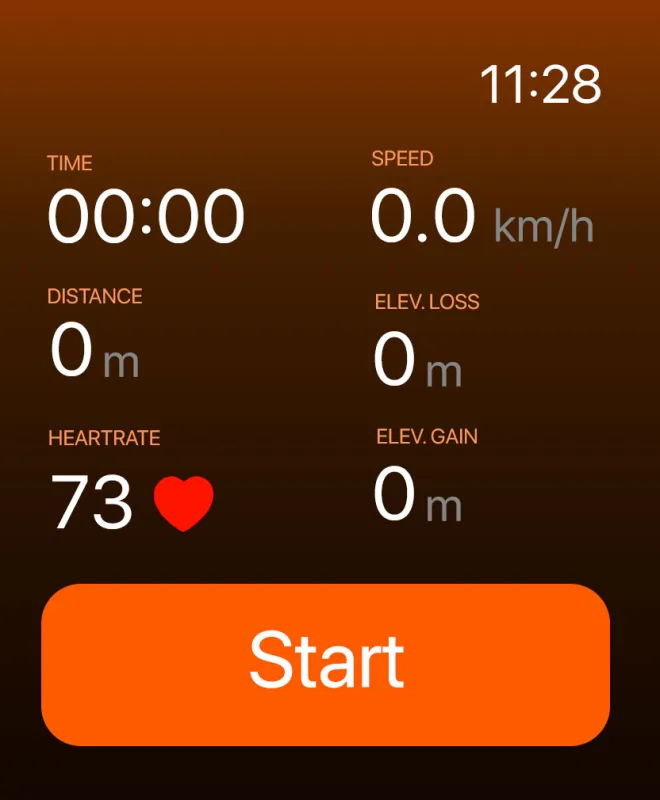
The NomadTracks watch app records on its own — no iPhone required on the trail.
- Standalone GPS, heart rate and elevation recording
- Customizable data fields on the watch face
- Workouts saved to Apple Health
- Tracks sync back to your iPhone library
Sync & backup
Synced everywhere. Stored nowhere else.
NomadTracks runs no servers. Your library syncs through clouds you already control.
- iCloud sync across iPhone, iPad and Mac — free
- Synology NAS sync for home-server setups — free
- Dropbox sync (Pro)
- Automatic and manual backups of your whole library
- iPhone shares its GPS position with Wi-Fi-only iPads
Try every feature on your next hike
NomadTracks is free on the App Store — Pro is optional, your data is always yours.